WinSpirit Mobile: PWA and Browser Access
 Available in US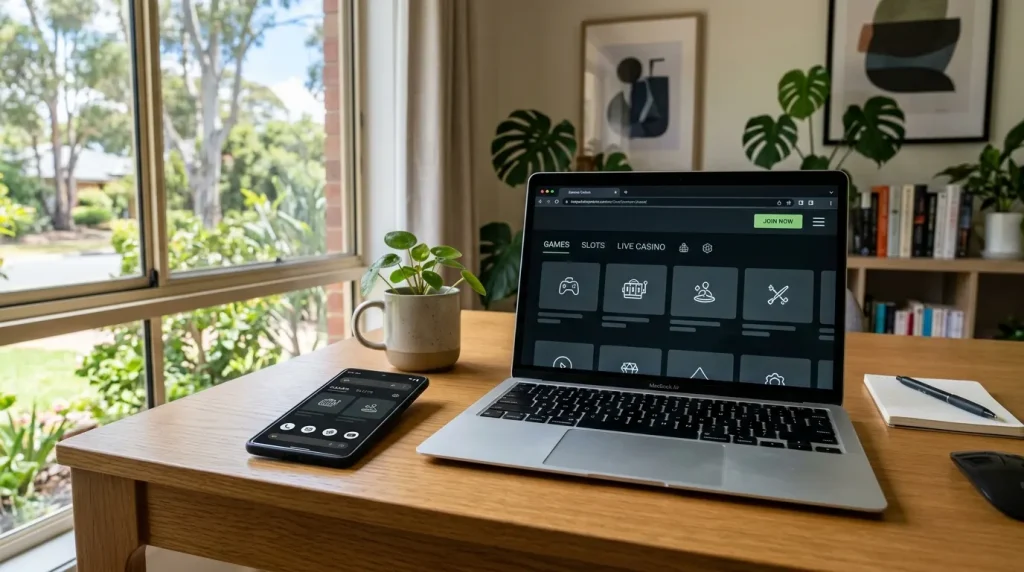
WinSpirit supports responsive browser access on mobile devices and an installable Progressive Web App, or PWA. The same mobile approach can be used from iOS and Android browsers. In practical terms, that gives two closely related ways to reach the casino from a phone: open the responsive website in a browser, or install the PWA so the service can be launched more like an app from the device home screen.
Table of Contents
Using WinSpirit in a mobile browser
Responsive browser access is the simplest mobile format because it works through the browser already installed on the device. WinSpirit supports this form of access on both iOS and Android. A responsive site adapts the layout to a smaller screen, so menus, game tiles, account controls and cashier areas can be presented in a format that is easier to use on a phone than a fixed desktop page.
The browser route is useful for occasional access because it does not require the user to add anything to the home screen. A saved bookmark can provide a direct route back to the site, while normal browser controls remain available for tabs, history and clearing stored site data. The important distinction is that browser access is still web access: the service runs through the browser rather than through a separate mobile operating-system interface.
Small screens change how information is consumed. A desktop page may show navigation, balances, filters and account options at the same time, while a mobile layout often places those elements behind menus or stacked sections. That makes deliberate navigation more important. Before starting a gambling session, it helps to identify the account area, the deposit or payment section and any player-control options rather than searching for them only after play has begun.
Mobile play also makes game switching especially easy. A catalogue with many suppliers can turn into a long sequence of scrolling and tapping on a phone. The WinSpirit games and providers guide explains the supplier mix and live-casino availability in more detail. On mobile, the practical response to a large catalogue is to narrow the session before opening a game: choose a category or provider first, then keep the number of game changes limited.
Device security matters because the phone may also hold the email account, payment apps and authentication methods connected with the casino account. A sensible mobile setup therefore starts with ordinary device hygiene rather than with gambling features. Keep the phone locked, use a strong device passcode, protect the email account linked to WinSpirit and avoid leaving a signed-in session open on a shared device.
- Use a locked personal device: a screen lock reduces the chance that another person can reach an active account session.
- Protect the linked email account: password resets and account messages may depend on it.
- Keep payment access separate: do not treat a saved wallet or banking app as an extension of the gambling balance.
- End the session deliberately: close active game tabs and sign out when the device may be used by someone else.
These habits complement the account-side controls covered in the WinSpirit account and player-controls guide. Mobile convenience can shorten the distance between an impulse and a gambling session, so device access, account security and spending boundaries work best when they are planned together.
Mobile safety and session habits
A phone can make gambling feel less like a distinct activity because the device is already used for messaging, entertainment, banking and everyday browsing. That convenience is exactly why session boundaries matter. When the casino is available from the same screen throughout the day, the useful control is not technical complexity but a clear decision about when gambling starts, how long it lasts and how much money can be risked.
A strong mobile routine separates gambling from idle phone use. Opening a casino because there is a spare minute on a commute or while watching television can create repeated short sessions that are harder to track than one planned period. Instead, set a session window before opening the site or PWA, decide the maximum spend in advance and finish when either boundary is reached. The amount should come from disposable money, never from funds needed for bills, debt payments or savings goals.
Notifications and home-screen placement can also influence habits. A PWA icon makes access faster, which is useful from a usability perspective, but speed should not become a reason to gamble automatically. Treat the icon as a shortcut to a service, not as a prompt to start a session. If seeing it repeatedly creates unwanted urges, moving or removing the shortcut can add helpful friction without changing the underlying account.
The same principle applies to payment access. A mobile device may keep cards, digital wallets or banking apps within a few taps of the casino. WinSpirit supports both fiat and cryptocurrency payment rails, so it is useful to separate transaction convenience from gambling decisions. Decide the session budget before reaching the cashier rather than using the ease of a mobile payment to justify another deposit.
Crypto transfers deserve particular care on a phone because long wallet strings, copied addresses and network-related information can be difficult to check on a small screen. Cryptocurrency values can also move, and transfers may be irreversible. Even when a transaction is technically easy to send, the user should verify every destination detail shown by the relevant service before authorising a transfer and avoid making hurried decisions while a game session is active.
Mobile sessions benefit from a short pre-play checklist:
- Set a time limit and a money limit before opening a game.
- Check that the device is private, locked and connected through a network you trust.
- Choose the game category or provider before paid play starts.
- Keep the stake stable unless a planned budget decision has been made outside the heat of play.
- Stop when the planned time or budget is reached, regardless of the latest result.
- Use account controls or take a break when stopping becomes difficult.
The last point is particularly important on mobile because the device stays physically close. A break is more effective when it creates genuine distance from gambling rather than simply switching from the PWA icon to a browser tab. If gambling is becoming difficult to control, Gambling Help Online is available at gamblinghelponline.org.au and on 1800 858 858. Gambling involves financial risk, and no outcome is guaranteed.
It is also useful to separate entertainment from recovery thinking. A loss does not become more recoverable because the casino is always available on the phone, and a win is not a signal that the next mobile session has better odds. The safest session plan treats every visit as independent and keeps money and time limits unchanged by recent results.
How the PWA format works
A Progressive Web App is a web-based format designed to behave more like an installed application. WinSpirit offers a PWA that can be installed from the browser. Once added, a PWA can usually be opened from a home-screen icon and displayed in a focused window, while the underlying service remains web technology rather than a separate casino environment.
The practical benefit is convenience. A home-screen shortcut reduces the steps between unlocking the phone and reaching the service, and the interface can feel more app-like than a normal browser tab. It can also make it easier to keep WinSpirit separate from unrelated browsing tabs. Those are usability differences; they do not alter the games, payment risks or gambling outcomes.
Install behaviour can vary by browser and operating system, so it is better to think in terms of the general PWA model rather than a fixed sequence of buttons. The important point for WinSpirit is that the PWA is installable from the browser and works alongside responsive browser access on iOS and Android. Users can therefore choose between ordinary browser use and a home-screen PWA route according to how they prefer to organise their device.
| Mobile format | How it is reached | Practical difference |
|---|---|---|
| Responsive browser access | Open WinSpirit in a mobile browser | Uses normal browser tabs, history and navigation controls. |
| Progressive Web App | Install from the browser and launch from the device interface | Creates a more focused, app-like route to the same web service. |
| iOS or Android use | Use the supported mobile browser route on either platform | The site adapts to phone-sized screens while retaining web-based access. |
For privacy and account security, the PWA should be treated like any other shortcut to a signed-in financial or entertainment service. Do not leave a session accessible on a shared phone, keep the device lock enabled and review who can access the email and payment tools connected with the account. If the device is lost, account security should be handled alongside the normal steps for securing email, banking and mobile credentials.
For responsible play, the PWA deserves one extra boundary: because it reduces friction, the user may need to create that friction deliberately. A fixed session window, a phone-level focus mode or simply keeping the icon away from the first home screen can make gambling a conscious action rather than an automatic tap. The goal is to preserve choice around when a session starts.
Common questions about WinSpirit mobile access
Can WinSpirit be used in a mobile browser?
Yes. WinSpirit supports responsive browser access on mobile devices.
Does WinSpirit offer a Progressive Web App?
Yes. WinSpirit offers an installable PWA that is added from the browser.
Can WinSpirit be used on iOS and Android?
Yes. WinSpirit supports browser-based access on iOS and Android devices.
What changes when using the PWA instead of a browser tab?
The PWA provides a more app-like launch route from the device while remaining a web-based way to access WinSpirit.
Where the PWA format fits in everyday use
WinSpirit’s mobile setup centres on responsive browser access and an installable PWA for iOS and Android use. The browser route suits occasional access and keeps the service inside normal browser navigation, while the PWA creates a faster, more focused home-screen route. The useful choice is therefore about device organisation rather than gambling value. Whichever format is used, the same safeguards matter: secure the device and linked email, decide time and money limits before play, keep payments separate from impulse decisions, and use stronger account controls when ordinary session boundaries stop working.